01
Capture the job
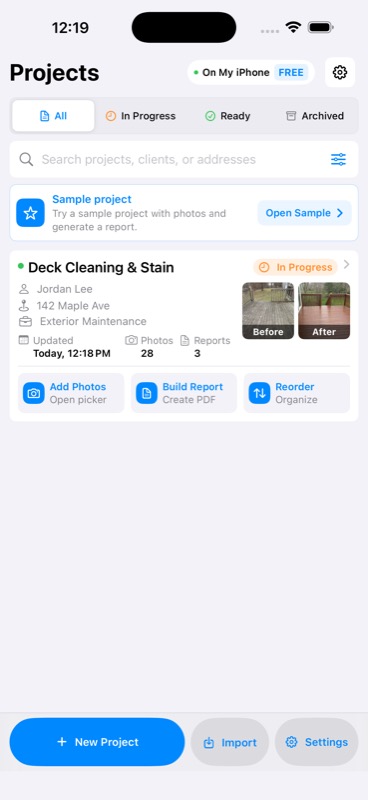
Create a project, import photos, and keep every client, address, and section organized.
 Polished ReportsiPhone launch soon
Photo reports for contractors
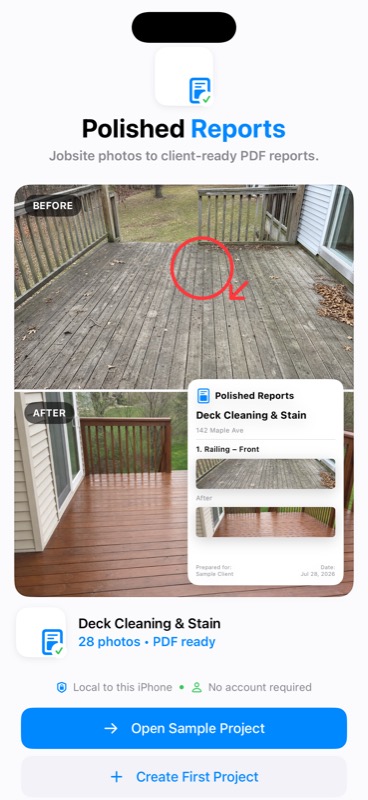
Turn photos, captions, annotations, branding, and signatures into a clean PDF report before leaving the job.
CapturePhotos, captions, status
OrganizeProjects and sections
ReportBranded client-ready PDFs
ShareFrom the iPhone share sheet
From site visit to send-ready
Polished Reports stays focused on the work between taking the photos and sending the final PDF.
Create a project, import photos, and keep every client, address, and section organized.
Write captions, assign clear status labels, group photos, and mark up the details that matter.
Preview the complete report, check the details, and send it with the standard iPhone share sheet.
Purpose-built for field work
No CRM, scheduling system, team portal, or cloud dashboard to configure. Just a faster path from jobsite evidence to a report your client can follow.
Keep client details, job addresses, photos, and report drafts together on your iPhone.
Use Before, During, After, Issues, and Notes sections so every photo has context.
Circle, point to, or annotate important details while preserving the original image.
Build clean reports with project details, selected sections, captions, and photo layouts.
Pro adds your business name, logo, footer, and optional signature to the final report.
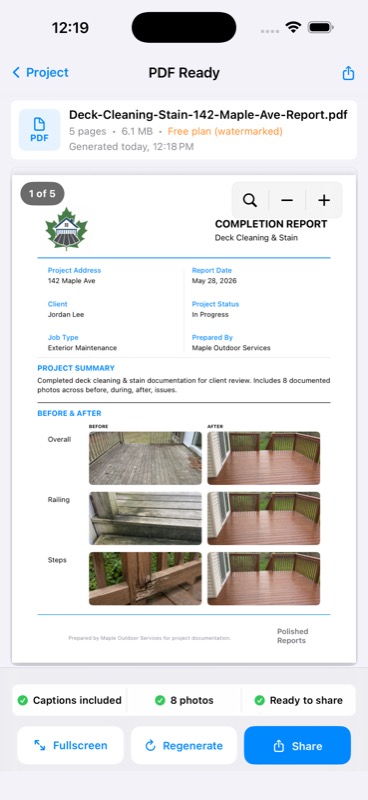
Review the exact PDF on your iPhone, then export it through Apple’s system share sheet.
The finished work speaks clearly
Choose the sections that belong in the PDF, include the details a client needs, and preview every page before it leaves your phone.
5-page reportReady to sharePrivate by default
Polished Reports does not require an account and does not upload your job photos, client details, or reports to a Polished Reports server. The initial release contains no analytics, advertising, or tracking SDKs.
Launching soon on iPhone